What every scan checks
Six layers, run on every repo - deterministic checks for what's known, AI judgement for what isn't. Full breakdown on methodology.
Live dependency vulnerabilities
Every dependency in package.json, requirements.txt, go.mod, Cargo.lock, or Gemfile.lock checked against OSV.dev in real time - not a bundled, stale database.
Hardcoded secrets
AWS, GitHub, Slack, Stripe, Google, OpenAI, and Anthropic keys, private key blocks, JWTs - gitleaks-modeled patterns, every text file, no sampling.
AI deep review, evidence-checked
RepoSentry reads the files a heuristic pass flagged for intent and obfuscation a regex can't catch. Every finding must cite a real snippet, re-verified against the actual file before it counts.
Agent-targeting content
Prompt injection aimed at AI coding agents, hidden Unicode, untrusted MCP configs - a risk class most scanners don't look for at all.
Author & repo due diligence
Repo age, stars, license, archived status; author account age, public repos, followers - the same checks you'd do by hand before trusting a stranger's code.
Privacy & data-handling disclosure
10 categories, every scan: PII in fixtures, telemetry SDKs, outbound calls, retention - a clear or flagged answer, never a silent gap.
How it works
Paste a URL
Any github.com/owner/repo link - public repos here, private repos on the Teams plan.
We look, you watch
Your browser fetches the repo directly from GitHub - secrets, live dependency vulnerabilities, and an AI review of anything suspicious, streamed to the page as it happens.
Get a real answer
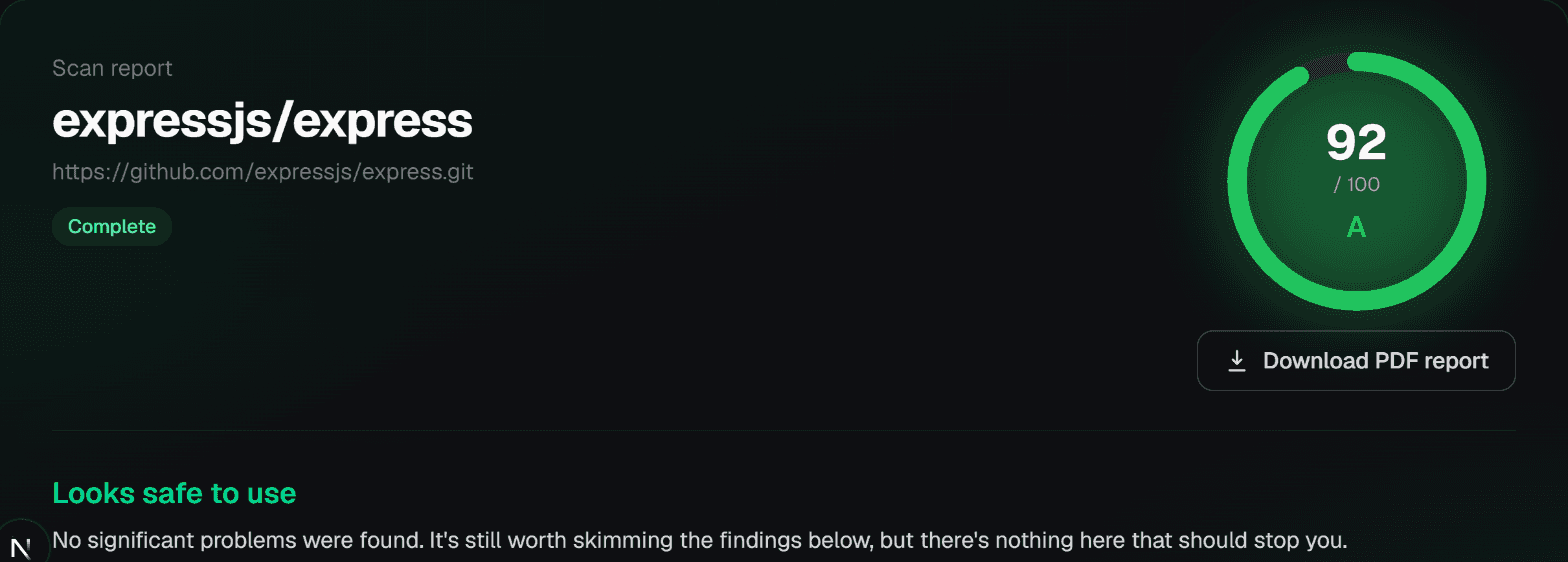
A 0-100 score, letter grade, every finding with a verified citation, PDF export.
See what you get
A real answer, not a checklist
One report, built for three different readers at once. Developers get file-level findings with CWE/CVSS citations and a verbatim snippet to check themselves. GRC and compliance get a dedicated privacy and data-handling section, scored separately. Everyone else gets a plain-language verdict - no security background required. Export the whole thing as a PDF.
How scoring works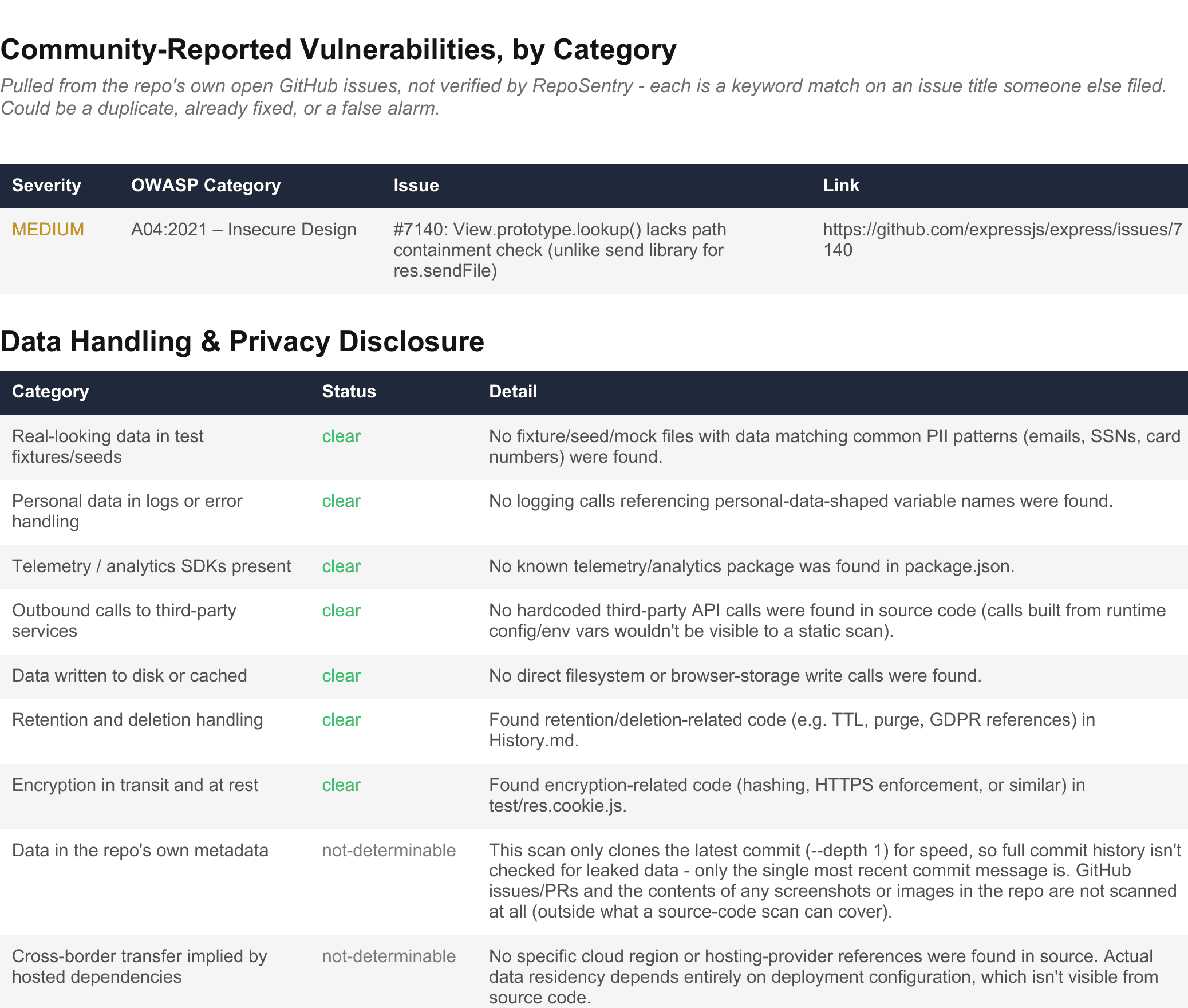
Mapped to the controls auditors actually ask for
Private-repo scans on the Teams plan include a compliance section naming the actual control IDs your findings provide evidence for - real IDs like ISO 27001's A.8.28 or NIST's RA-5, not a marketing checklist. Honest about what a code scan can't speak to as well, so nothing here overclaims what an auditor would push back on.
- ISO 27001
- NIST 800-53
- Cyber Essentials
- SOC 2
Built to be handed to someone else
The PDF is the artifact, not just a page you look at once - here's why it holds up.
Vendor & open-source due diligence
Before you adopt a dependency, a library, or an outside vendor's codebase, attach the PDF to the decision instead of a verbal "looks fine to me."
Live threat intelligence, not a snapshot
Every scan queries OSV.dev in real time, at the moment you scan - a CVE disclosed minutes ago is already reflected, never a bundled, aging database.
Nothing from the target repo is kept
Fetched and scanned in your own browser session, never cloned to a shared server. The moment a scan finishes, the content is deleted.
What is kept is encrypted at rest
Your scan history - the report itself, not the repo - is AES-256-GCM encrypted, tied to your account, never sold or shared. Delete any time.
Every finding has a verifiable citation
Each AI-sourced finding names a real file and a verbatim snippet, re-checked against the actual file before it's kept - not a number to take on faith.
Full breakdown: methodology · security · privacy
Your own code needs this more than anyone else's
Everything above is for deciding whether to trust code you didn't write. But most of what actually matters - your product, your client work, your team's repos - is private, and public-only vetting can't touch it. The Teams plan runs the exact same scan against a private repo, without asking for standing access to your account.
Scoped to exactly one repo
A GitHub fine-grained token only grants access to the repository you explicitly select when you create it - never your whole account, never every repo you have.
You set the expiry
Create it with a 1-day expiry (or shorter) and it's effectively single-use in practice, not a standing credential.
Never touches our server
The token is used only by your own browser, talking directly to GitHub. RepoSentry's server never sees it, stores it, or logs it - only the resulting file contents are sent, same as any public scan.
Pricing
Pay for what you scan, nothing else
Frequently asked
Do I need to connect my GitHub account?
Yes, to sign in and track scan credits - but the sign-in only requests your username and public email (GitHub's default read:user user:email scope). Never repo access, never write permissions. The repo you're scanning is fetched from GitHub's public API, the same way a browser would read it.
Does scanning ever run code from the repo?
No. Files are only ever read as text - not npm install, not a build step, not opening a file in an interpreter. See /security for the full breakdown.
What happens to the repo content and the report afterward?
The fetched repo content itself is deleted from the scan workspace as soon as the report is written - the full source isn't kept on disk afterward. What happens to the resulting report depends on your plan: standard and pro keep it (encrypted) in your account history indefinitely; starter reports expire about an hour after the scan finishes - the only lasting copy is whichever you download or your browser saves locally. See /pricing for exact terms.
What counts as one credit?
One full scan of one repo at one commit, regardless of repo size. Credits never expire, and there's no subscription or auto-renewal.
Can the AI review be wrong?
Every AI-reported finding must name a real file and a verbatim snippet, which is programmatically re-checked against the actual file before it's kept - an unverifiable claim is dropped, not trusted blindly. See /methodology for how that works.
Where does the vulnerability data come from?
OSV.dev, queried live at the moment of your scan - the same data source behind npm audit and Dependabot. No bundled or cached database that could go stale.
Is a high score a guarantee the repo is safe?
No. It means known patterns weren't found - it isn't proof against a sufficiently well-hidden attack, and it isn't a substitute for review before granting real production access or credentials.
Know before you clone
Paste a GitHub URL above and get a full report in about a minute - public repos here, private repos on Teams.
Scan a repo